Whether it's daily schooling, interest classes, or heading off on an overseas study tour, a parent’s top priority is always their child's safety! The myFirst Fone R2 Smartwatch combines high-tech features with precise location tracking to help you build an all-round safety net. Even when you are not by their side, you can easily keep tabs on your child’s whereabouts, stay constantly connected, and let them safely experience their very first smart device!Check out these 3 practical real-life scenarios to see how you can flexibly use the watch's features to solve daily parenting challenges—giving you total peace of mind while granting them independence!
Running late for pickup and worried about strangers approaching your child?
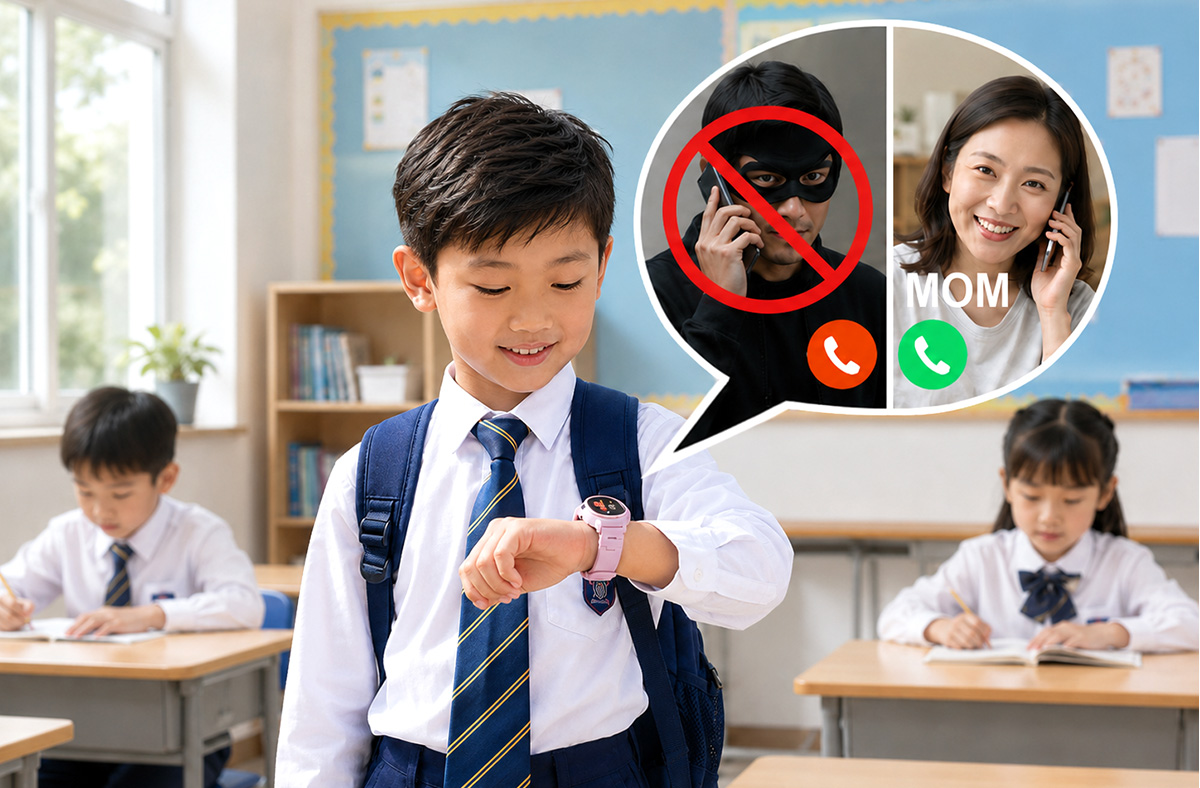
🛑 Block Unknown Callers: Set up a Contact Whitelist (Allowed Call List) to ensure only trusted people can get through!
If you or your helper are running a few minutes late picking up your child after piano or sports practice, there's no need to worry about them wandering off with a stranger. By pre-setting a Whitelist, your child can only communicate with approved family and friends. Even if plans change last minute and a grandparent goes for the pickup instead, they can call the watch instantly to tell your child to wait safely on the spot—giving you total peace of mind!
【Whitelist ((Allowed Call List)) Setup Steps】
1. Go to App [Settings] → [Child Account] → [Contact Whitelist].
2. Method 1: Click "+" to add family/friends who already have the App.
3. Method 2: Click "+" and enter the name and phone number to add contacts (perfect for grandparents without the App).
💡 Expert Tip: It's best to add Dad, Mom, and the grandparents to the Whitelist right after turning on the watch. The sooner you add them, the sooner you'll feel at ease!
Worried about your child wandering away during extracurricular activities?
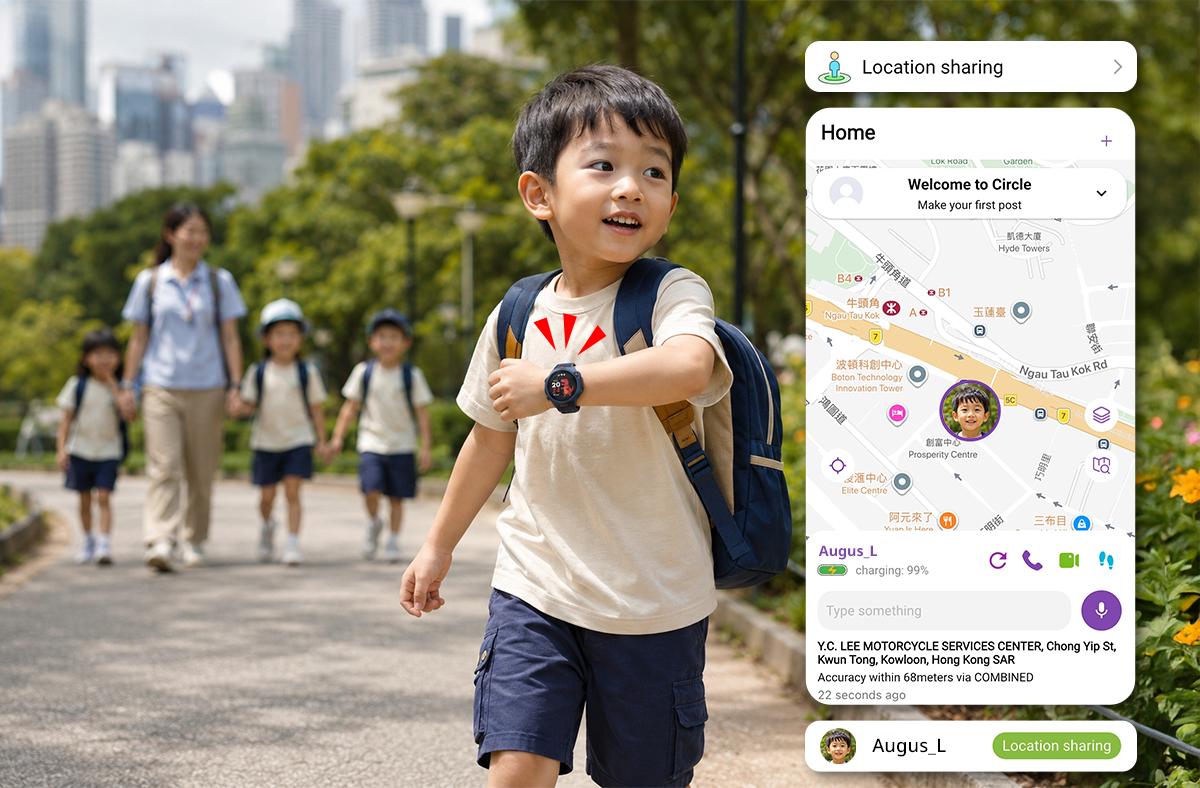
👀 Real-Time Location Tracking & Video Calls: True peace of mind means not just knowing where they are, but actually seeing them!
When your child goes on a school trip to a country park or a science museum, it’s natural to worry at the office about whether they are safe. As the main account administrator, Mom can share the child’s live location with the whole family. Family members can also make direct video calls, asking the child to tap the screen and show their surroundings. With the whole family watching over them, safety is completely guaranteed!
【Contacts & Location Sharing Steps】
1. Contact Setup: Go to App [Settings] → [Contacts] → Click "+" to [Add Friends]. Search and add the usernames of family members.
2. Location Sharing Setup: Go to App [Settings] → [Child Account] → [Location Sharing] → Click "+" to select and add family members.
Note: Once family members accept the request and restart the App, they can see the child's real-time location on the homepage and make direct calls.
💡 Expert Tip: If your child is heading to a crowded place, remember to turn on "Real-Time Tracking" the moment they step out the door!
Worried about your child wandering away during class or lessons?
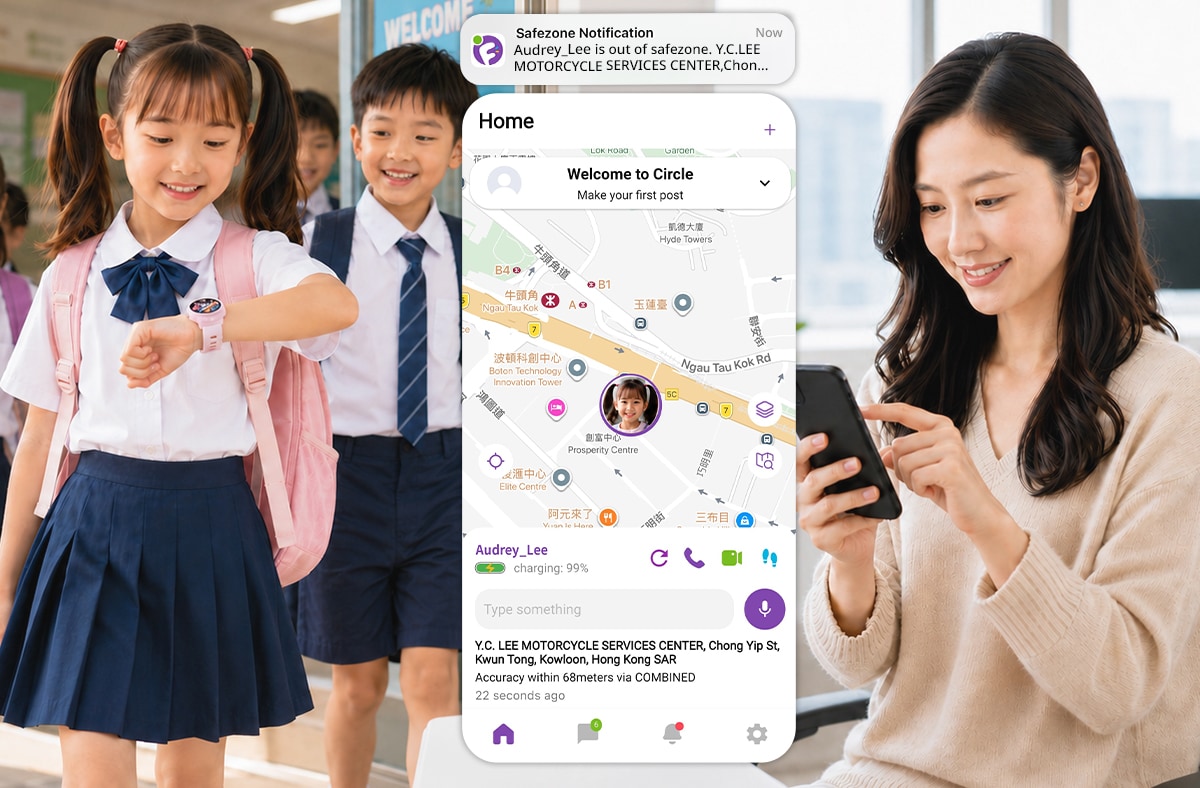
🚨 Safe Zone Alerts: Draw a "Digital Fence"—get an instant alert the moment your child steps out of bounds!
School and interest classes are where your child spends most of their time, but even the most familiar places shouldn't be overlooked! With the "Safe Zone" feature, you can set a designated radius around any location. If your child "crosses the line" during class hours (e.g., wandering off with someone else), an instant alert will be pushed to your smartphone. You can immediately make a video call to verify their safety, just in case!
【Safe Zone Setup Steps】
1. Go to App [Settings] → [Child Account] → [Safe Zone].
2. Click "+", choose the location on the map, and set the radius (e.g., 300 meters).
3. Name the location and set the active hours (e.g., "School" 08:00–15:00; "Piano Class" 15:30–16:30).
💡Smart use of technology builds a truly reliable, all-round safety net!
After reading through these 3 real-life scenarios, we believe every parent is now a certified myFirst Fone R2 protection expert!To a child, the world is full of infinite wonders and exciting discoveries. True parental protection isn't about locking them away in a greenhouse; it’s about becoming their ultimate safety shield, allowing them to explore, learn, and grow freely with absolute confidence anytime, anywhere!
🚀 Ready? Let's get started!
Pick up your smartphone and your child's smartwatch now, and review the feature setups from these 3 scenarios. With all protection features activated, you and your child can boldly experience more this summer break while staying safely connected at all times!